- Incident Response
How to Build an Incident Response Plan Without an In-House IT Team
- Inforsys LLC
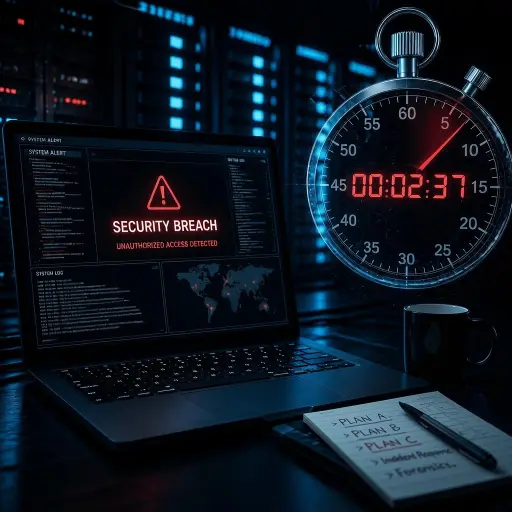
It’s 2 a.m. Your team is locked out of its systems. Files won’t open, email is down, and a message on your screen says your data has been encrypted.
Do you know what to do next? An incident response plan is the difference between a controlled response and total chaos.
For many small contractors and businesses, the answer is probably, “Call someone and figure it out.”
That’s understandable when you don’t have a full-time IT department. But when a cybersecurity incident happens, every minute matters. Without a clear plan, even a relatively contained incident can quickly become a costly business disruption.
The good news? You don’t need an in-house IT team to have an effective incident response plan.
With a few clearly defined procedures, assigned responsibilities, and the right technology partner, a small business can be prepared to detect, contain, communicate, and recover from a security incident.
Why Small Contractors Can’t Skip This
Cybersecurity incidents aren’t just a concern for large corporations. Small contractors can be attractive targets because they often handle valuable business, employee, customer, or government-related information without having the same cybersecurity resources as larger organizations.
Having an incident response plan is also a core part of good cybersecurity risk and compliance management, it’s one of the first things auditors and prime contractors look for when evaluating whether a subcontractor takes security seriously.
Your insurance provider may also expect you to have documented cybersecurity policies and procedures. Depending on your coverage, failing to follow required security practices could complicate a claim after an incident.
There’s also the issue of trust.
If a client’s information is compromised through your systems, they will want to know what happened, what you did about it, and what you’re doing to prevent it from happening again.
An incident response plan gives you a structured answer instead of scrambling to make decisions during a crisis.
The 5 Core Elements of a Basic Incident Response Plan
Your plan doesn’t need to be a 50-page technical document. Start with five essential components.
1. Detection and Reporting
The first step is knowing how an incident gets reported.
Your employees should know what suspicious activity looks like and who to contact when they see it. For example, an employee might notice:
- A suspicious email or attachment
- Unexpected password reset notifications
- Unusual computer behavior
- Missing or encrypted files
- Unauthorized access to an account
- A lost or stolen company device
Your plan should identify a specific person or role who receives these reports first.
Make the reporting process simple. Employees shouldn’t have to wonder whether something is “serious enough” to report. When in doubt, they should have a clear path for escalating the issue.
2. Containment
Once you identify a potential incident, the next priority is preventing it from spreading.
Containment might include disconnecting an affected computer from the network, disabling a compromised account, blocking a malicious email, or restricting access to affected systems.
The important thing is to define these actions before an emergency happens.
Your plan should specify who has authority to take systems offline and when an outside IT or cybersecurity provider should be contacted.
Avoid having employees make major technical decisions on their own. A well-defined escalation process can prevent a small problem from becoming a larger one.
3. Communication
A cybersecurity incident can quickly become a communication problem as well as a technical one.
Your plan should identify who communicates with employees, management, customers, vendors, and other stakeholders.
If sensitive information may have been exposed, communication becomes especially important. Depending on the situation and applicable requirements, you may need to notify affected parties, legal counsel, insurance providers, or government agencies.
Keep communication responsibilities separate from technical response whenever possible. The person investigating the incident may not be the best person to communicate with clients.
Most importantly, establish communication channels that don’t depend entirely on the systems that may be compromised.
4. Recovery
Once the threat has been contained, you need a plan for getting back to normal.
Recovery may include:
- Restoring systems from backups
- Resetting compromised passwords
- Rebuilding affected devices
- Applying security updates
- Verifying that malicious software has been removed
- Testing systems before returning them to normal operations
Backups are particularly important. But having backups isn’t enough. You should know where they are, who can access them, and whether they can actually be restored.
Regularly testing your backups can help ensure that they will be available when you need them most.
5. Post-Incident Review
The incident isn’t necessarily over just because your systems are back online.
Afterward, take time to determine what happened and why.
Ask questions such as:
- How did the incident happen?
- How quickly was it detected?
- What systems or information were affected?
- What worked well during the response?
- Where were the delays or gaps?
- What security controls should be improved?
- Does the incident response plan need to change?
The goal isn’t to assign blame. It’s to learn from the incident and reduce the chances of the same problem happening again.
Who Does What When You Don’t Have an IT Team?
One of the biggest challenges for a small business is figuring out who is responsible for incident response when there isn’t an IT department.
Start by designating an incident response point person. This doesn’t necessarily need to be your most technical employee. Their primary responsibility can be coordinating the response and making sure the right people are contacted.
Your plan should clearly identify:
Primary contact: Who coordinates the response?
Backup contact: Who takes over if the primary contact isn’t available?
IT support: Who handles technical investigation and containment?
Management: Who has authority to make business decisions?
Legal/insurance: Who should be contacted if sensitive information or regulated data is involved?
For businesses without internal IT expertise, consider pre-arranging support with a managed service provider and ideally, one that treats IT and cybersecurity as a single, connected function rather than two disconnected services.
The key is to establish that relationship before an incident occurs. Finding an IT provider at 2 a.m. while your systems are encrypted is very different from having a trusted partner already familiar with your environment.
A Simple Template to Get Started
Your first incident response plan doesn’t have to be complicated.
Create a simple document that includes:
- Emergency contacts – IT provider, management, insurance, legal counsel, and other important contacts.
- Incident reporting process – What employees should report and who they should contact.
- Containment procedures – Initial steps for isolating affected systems or accounts.
- Communication procedures – Who communicates with employees, clients, and other stakeholders.
- Backup and recovery information – Where backups are located and how systems are restored.
- Incident documentation – Where details, timelines, and actions are recorded.
- Post-incident review – How lessons learned will be documented and improvements made.
Once you’ve created the plan, don’t just save it in a folder and forget about it.
Review it regularly and test it with your team. A short tabletop exercise such as walking through what you would do if ransomware affected your file server can reveal gaps before a real emergency exposes them. CISA’s incident response guidance offers a useful framework if you want a starting reference point.
Be Ready Before the Incident Happens
An incident response plan isn’t about predicting exactly what will happen. It’s about making sure your team knows what to do when something goes wrong.
For small contractors without an in-house IT department, having a documented plan can provide structure during a stressful situation, support compliance efforts, protect client relationships, and potentially reduce the impact of a cybersecurity incident.
Most importantly, you don’t have to build it alone.
Inforsys can help you build and test an incident response plan tailored to your business, so your team knows what to do before you ever need it.
Don’t wait for the 2 a.m. phone call. Start building your incident response plan today.